THE BIG STACK
Crawford Green: a design system and framework for Webflow
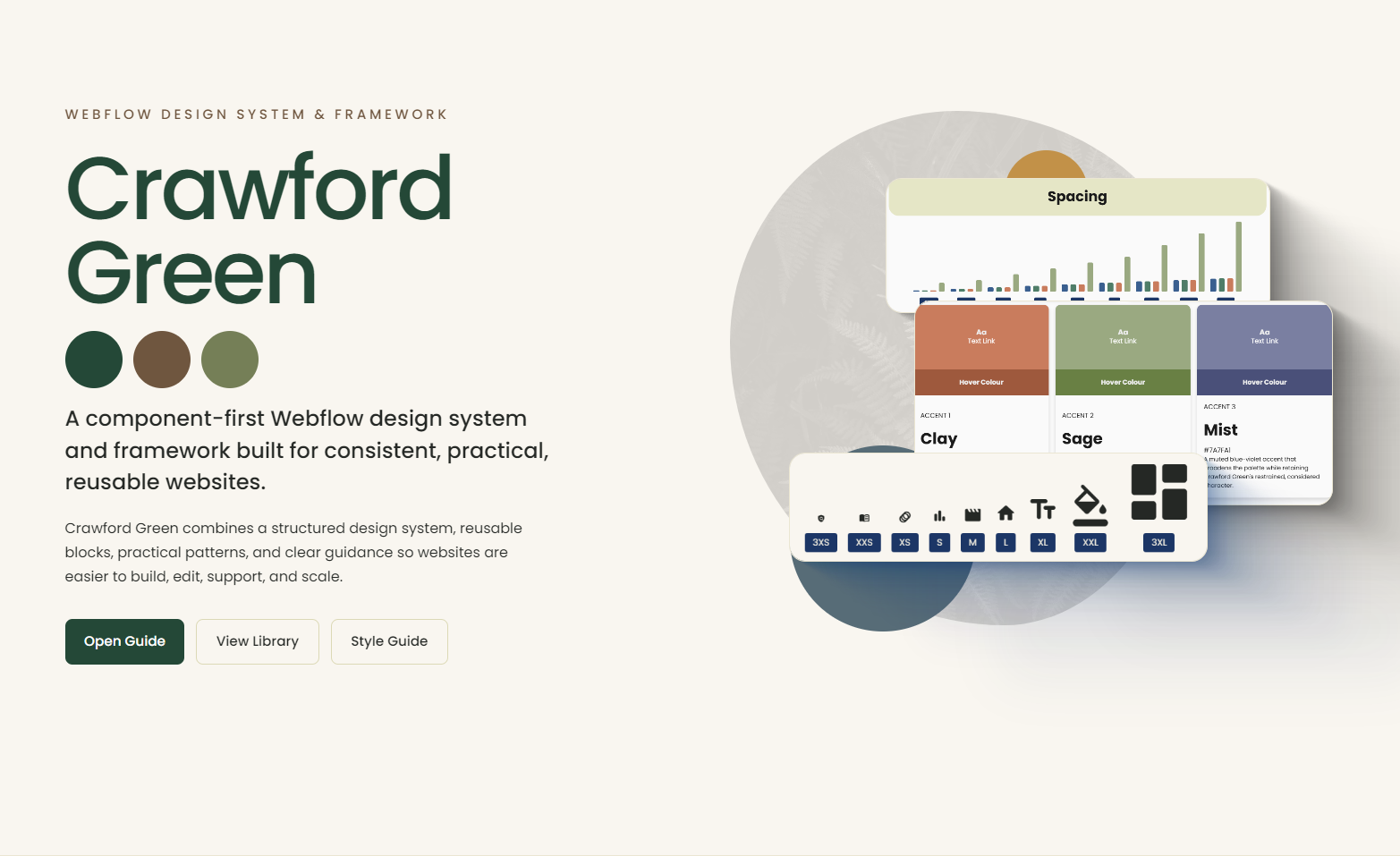
Webflow is a visual website development platform that I often use to build and host websites. I started using it around 2022 because I was looking for an alternative to WordPress.
What Webflow offered at the time was the ability to create custom designs on a platform built around the idea of “visual design for coding.”
In other words: it’s Photoshop for coders.
Unlike a lot of other web design platforms, there was very little abstraction between what you were doing visually and the code underneath. If I dragged a div block onto the canvas, Webflow would write <div></div>. It was about as close to actual coding as you could get with a drag-and-drop builder.
Webflow has a system of class names and styling that requires some structure in order to be effective. So people started developing frameworks, which are basically organised systems for classes, spacing, layout and structure.
Some of the more popular frameworks are Client-First, MAST and Lumos. All of them are great, and they all take a slightly different approach. I borrowed elements from each of them and basically used my own lightweight framework for most of my builds.
Over the last year, though, Webflow has added new functionality in a number of areas, including components, variables and agentic processes.
I started wondering: could I build a framework centred around these newer features?
It started with a question.
Could I build a Webflow framework that was component-first, where the person using it never really needed to understand the class system underneath?
The question came out of a conversation I had with Samuel Gregory from Webflow & Code. (He won’t remember it :)
At the time, I was thinking about the way most Webflow frameworks work. They give you a well-organised system for classes, spacing, layout and structure, but you still need to understand that system before you can use it properly.
I wondered if I could put a component layer in front of all of that instead.
The answer, after building Crawford Green, is not quite.
There are still parts of Webflow that can’t be turned into Components. Lightboxes are one example. Some CMS structures, including multi-reference fields, are another. In those cases you eventually hit a limitation in Webflow itself and have to work with the underlying structure directly.
So there are still times when you need to understand what is happening underneath. But I got much closer than I expected.
What came out of that experiment is Crawford Green: a design system and Webflow framework built around reusable components, design tokens and a predictable underlying structure.
A design system.
Crawford Green is firstly a design system.
The point of the design system is consistency.
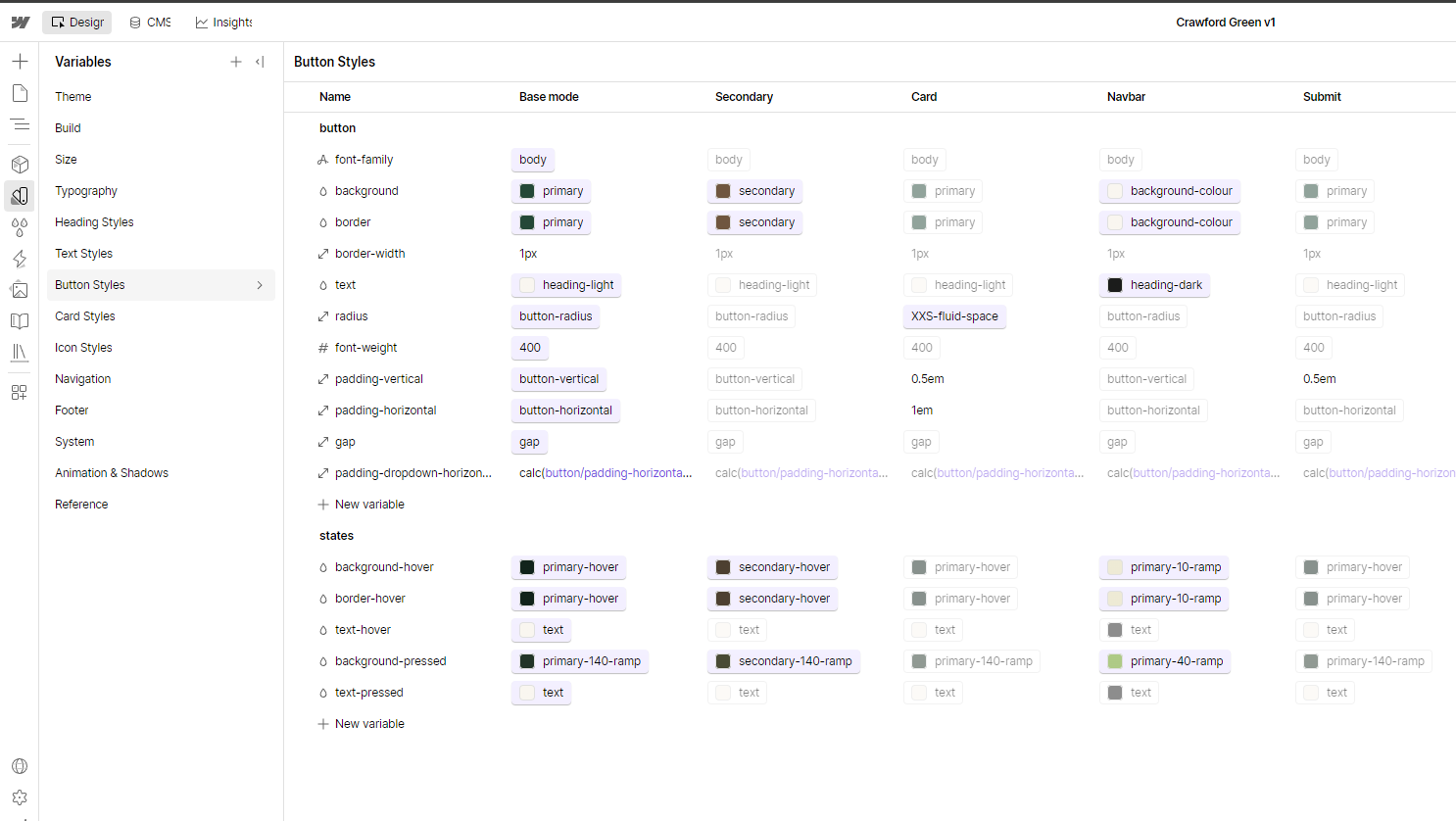
Instead of designing every page, button, heading, card or section as an isolated thing, Crawford Green gives the website a shared set of design decisions that everything can work from.
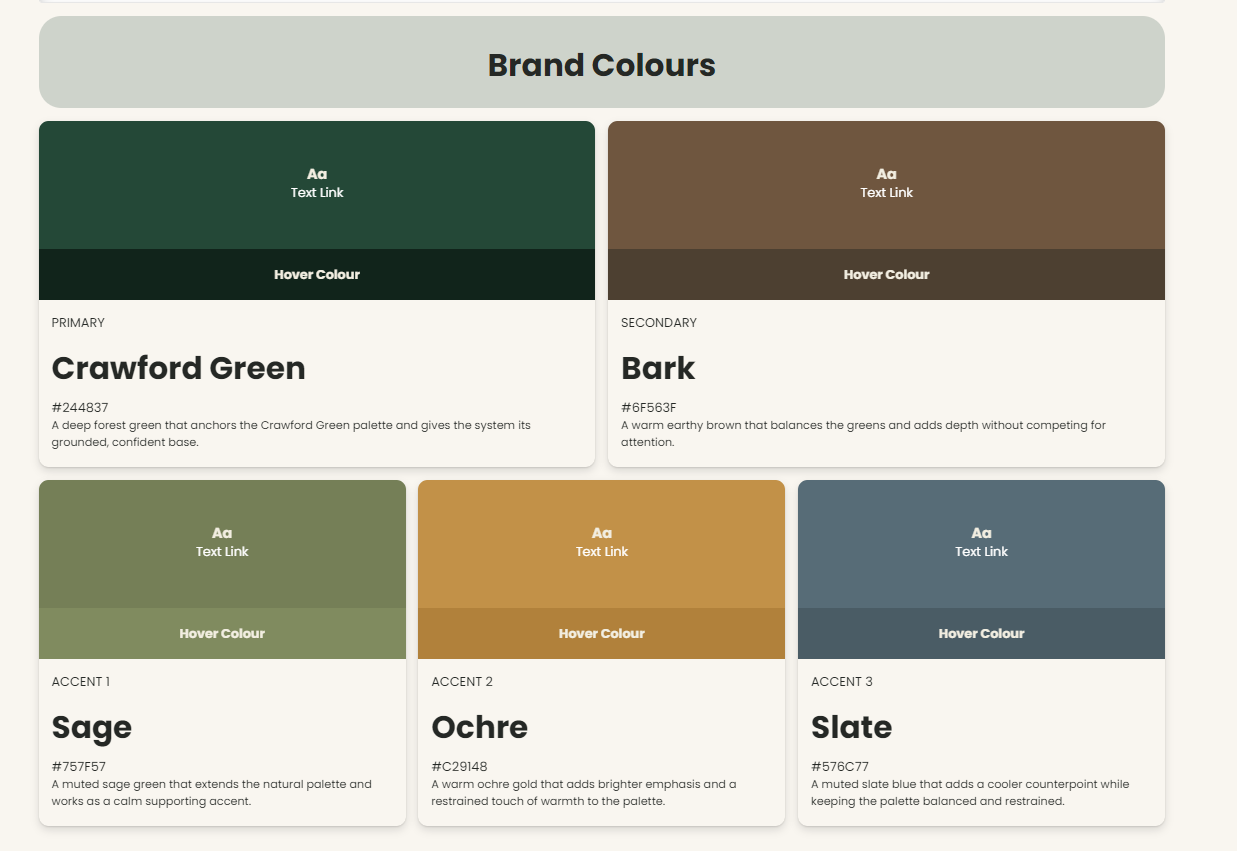
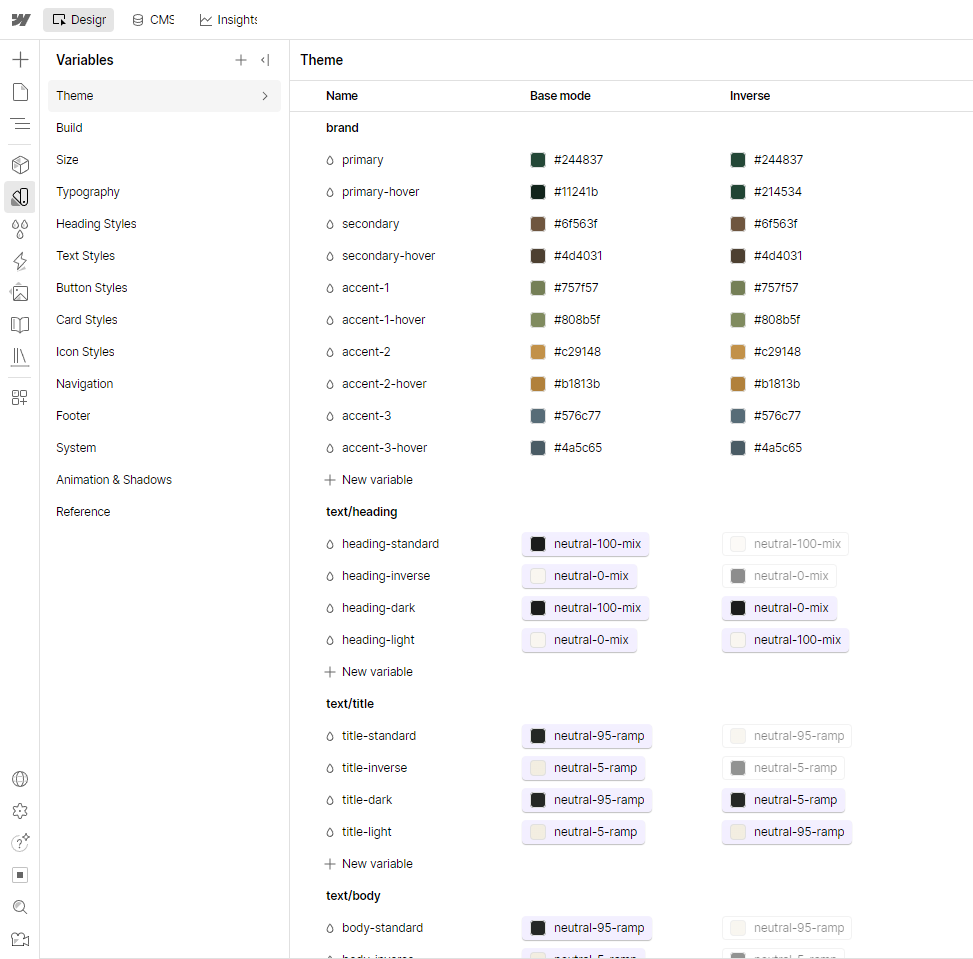
Colour is a good example.
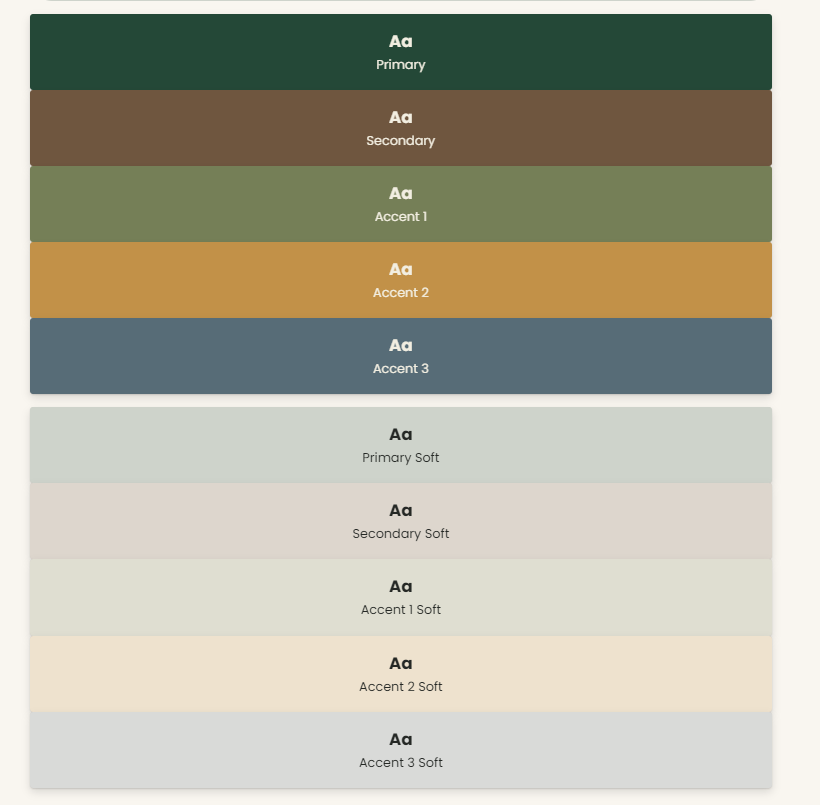
A website starts with its brand colours. Crawford Green uses those colours to create the wider colour system used throughout the site. If the primary brand colour changes later, the colours derived from it change with it while keeping the same relationships.
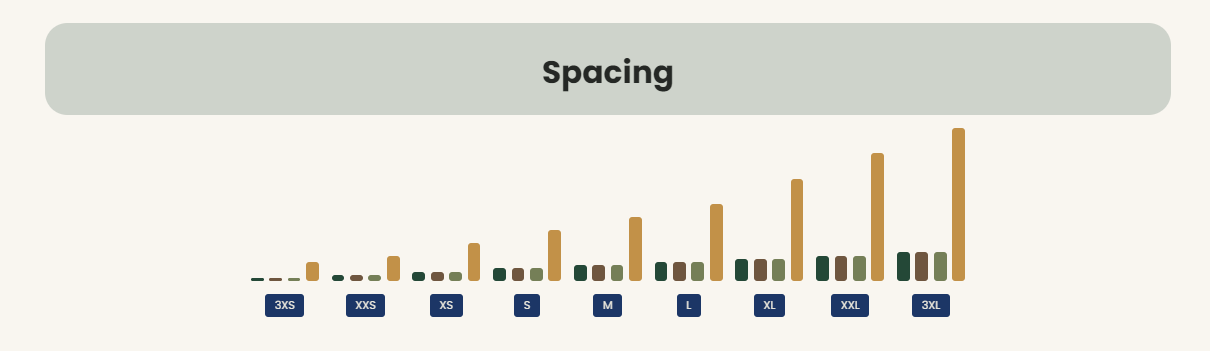
The same idea applies to typography, spacing, buttons, cards and the other parts of the website.
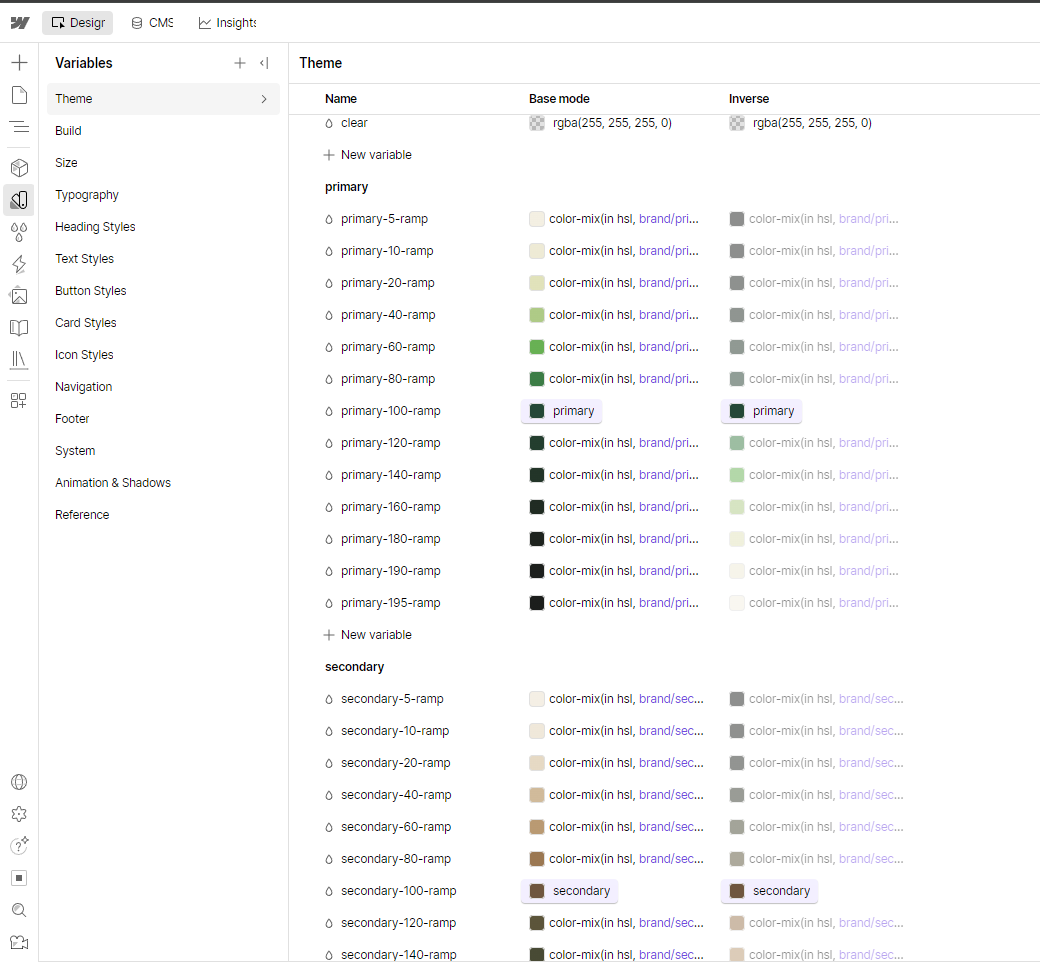
That means a page added two years from now can use the same design language as a page built today. It also means that when something changes, you can change the underlying decision rather than hunting through individual pages trying to find every place it was used.
For clients, that makes the website easier to maintain and much harder to slowly pull apart over time.
The Style Guide provides a live reference for those design decisions, while the Library contains the reusable Components used to build the website.
Those Components are where the design system becomes practical. Instead of rebuilding the same decisions every time, the person building the website can choose things like a heading style, a section colour, a button type or a spacing option and know that it belongs to the same system as everything else on the site.
The complicated part still exists underneath. The person building the page just doesn’t need to deal with all of it every time.
A framework.
If the design system is about consistency, the framework is about predictability.
It gives Crawford Green an established way of putting the website together, so the same engineering decisions don’t need to be made again every time somebody builds a new page or section.
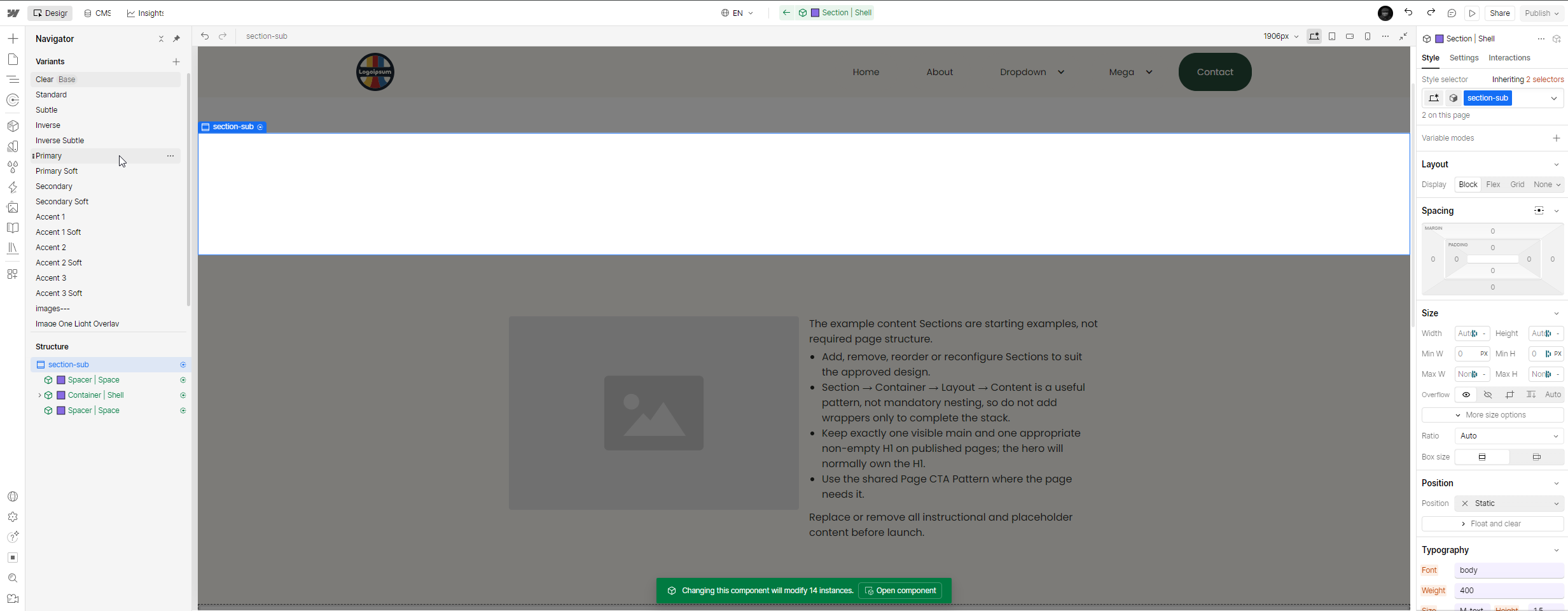
The Layout Component is a good example.
If I want a three-column layout in Webflow, underneath it is still normal CSS Grid. On desktop, the code might effectively be:
grid-template-columns: 1fr 1fr 1fr;
and on mobile:
grid-template-columns: 1fr;
There are other decisions involved as well. How much space should there be between the columns? At what breakpoint should they stack? Should the content reverse on smaller screens? If I need the same layout somewhere else, should it behave in exactly the same way?
Crawford Green makes those decisions once and turns them into reusable options.
So instead of rebuilding the layout, the person using Crawford Green can choose something like 1 : 1 : 1 | Reflow on Mobile and get on with building the page.
The same Component can provide established twin-column layouts, different column ratios, fixed grids and layouts that reverse at particular breakpoints.
Underneath, it is still Webflow. A Grid is a real Webflow Grid. Flex is still Flex. The responsive rules and classes still exist.
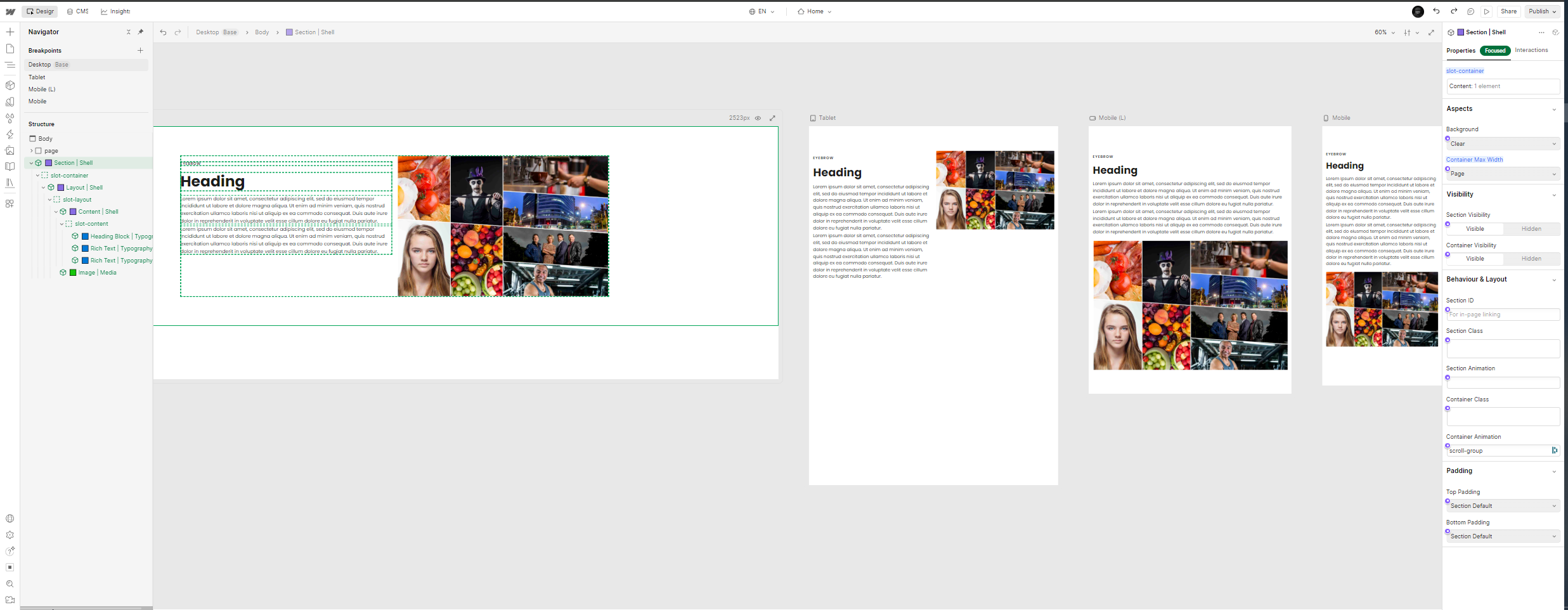
Crawford Green doesn’t remove the engineering. It organises it and puts a simpler interface in front of it.
That means a new page can look completely different from an old one while still being built using the same underlying logic.
And years later, somebody working on the website doesn’t have to reverse-engineer how a particular layout was built before they can reproduce it properly.
The class system is still there when it is needed. But for most everyday work, it becomes infrastructure rather than the thing the person building the page has to think about.
That is really the point of the framework: a website can grow without everybody who touches it having to invent a new way of building it.
Accessibility.
Accessibility is built into Crawford Green in much the same way.
There are things the framework handles from the beginning: semantic page structure, visible keyboard focus states, a skip-to-content link, support for reduced motion, and Components designed to work with accessible Webflow structure rather than around it.
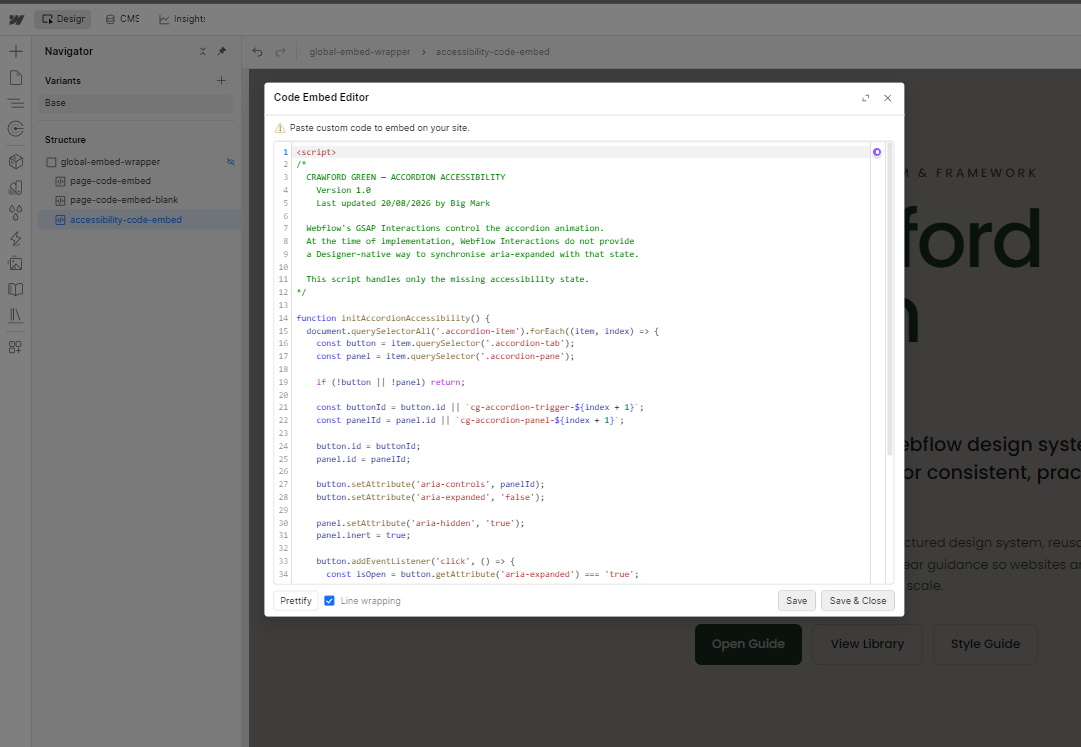
The idea is that accessibility shouldn’t depend entirely on somebody remembering a checklist every time they build a new page.
But websites don’t stay still.
New pages are added. Images are replaced. Content changes. Somebody can build something perfectly well today and accidentally introduce an accessibility problem six months later.
So Crawford Green also includes accessibility and alt-text audits that can be run with an agent.
That gives the person maintaining the website a way to regularly check what has changed, find missing or unsuitable alt text, identify accessibility problems and deal with them as the site evolves.
It turns accessibility from something that gets checked once before launch into something that can continue to be maintained over the life of the website.
The framework can take care of a lot of the groundwork.
The audits help make sure the website continues to live up to it.
SEO, metadata and schema.
The same idea applies to SEO.
A website can launch with good page titles, descriptions, metadata and structured data, but that doesn’t mean they will stay that way forever.
New pages get added. CMS records change. Content gets rewritten. A page that started with the right metadata can become out of date without anybody noticing.
Crawford Green treats those things as part of the website that can be maintained rather than something that gets done once at launch and forgotten about.
Metadata helps describe what a page is about, while schema markup gives search engines additional structured information about the content on the page.
Crawford Green can use an agent to audit those things across the website, checking pages and CMS content for missing or outdated metadata and making sure the appropriate schema is still in place.

That doesn’t mean Crawford Green magically does SEO or guarantees how a website will perform in search.
It means the less visible parts of the website can be checked regularly in the same way as the visible ones.
As the website grows and changes, the person running it has a practical way to find problems and keep that information up to date instead of discovering years later that half the site was never properly maintained.
Agentic.
The other major part of Crawford Green is that it is designed to work with agents.
That wasn’t the original reason I built it.
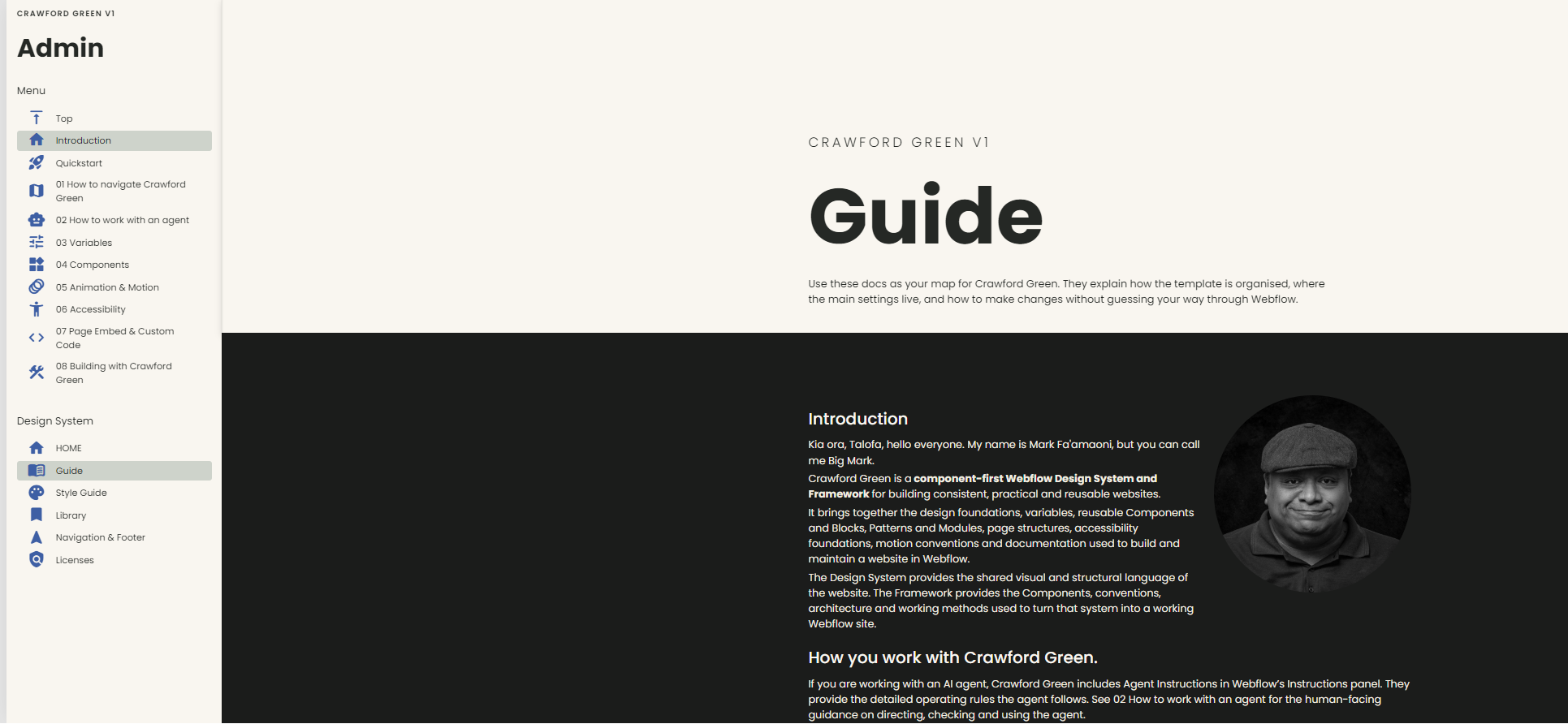
The original question was whether I could make Webflow component-first enough that somebody could build a website without needing to understand all of the classes and engineering underneath.
But as Crawford Green developed, I realised that the same structure that made the framework easier for a person to use also made it much easier for an agent to understand.
The user still works in Webflow.
They can use Components, variables, native Webflow elements, CMS collections and the other tools Webflow provides to build whatever they like. The agent isn’t intended to replace that experience.
Its job is to support it.
Crawford Green includes a Guide for the person using the framework, along with a much more detailed set of instructions, rules and skills for an agent working on the website.
Those instructions explain how Crawford Green is organised, how Components should be used, how the class system works, how design variables relate to each other, how pages should be structured, and what an agent can and cannot safely change.
They also provide repeatable processes for things like accessibility, alt text, SEO, metadata and schema audits.
The user can also use an agent more directly if they want to. It can help build a page or section using Crawford Green, explain how something should be built in Webflow, or walk through how a particular Component, variable or part of the framework works.
The rules are there so that when an agent does work on the website, it is working within the same system as the person using it rather than inventing its own way of doing things.
The future.
Crawford Green is still something I’m developing as I use it across my Webflow work.
For now, it isn’t something I’m releasing as a standalone framework. It will only be available on websites I build through Big Mark Studio.
I’m looking forward to seeing where it goes from here.

Previous Posts
Browse by Topic
Explore articles about websites, small business, organisations and photography.

READY TO GET STARTED?
Let’s start your website project.
Get an accessible, responsive website that puts your story front and centre and helps your business or organisation be the best it can be.
Get startedContact Big Mark